Documentation
Keeping a patch
What the caretaker's side does, in the order you meet it.
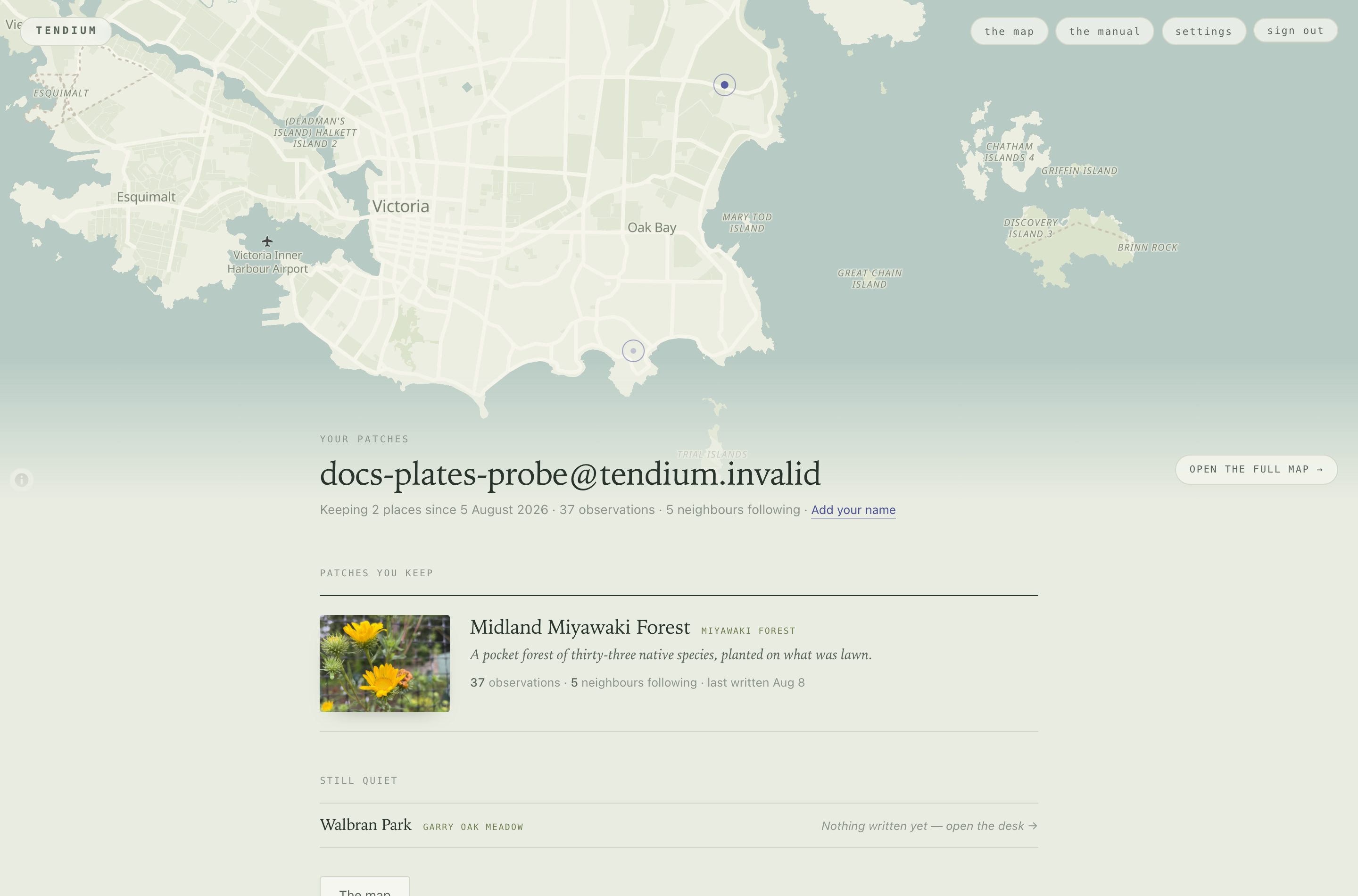
What a patch is#
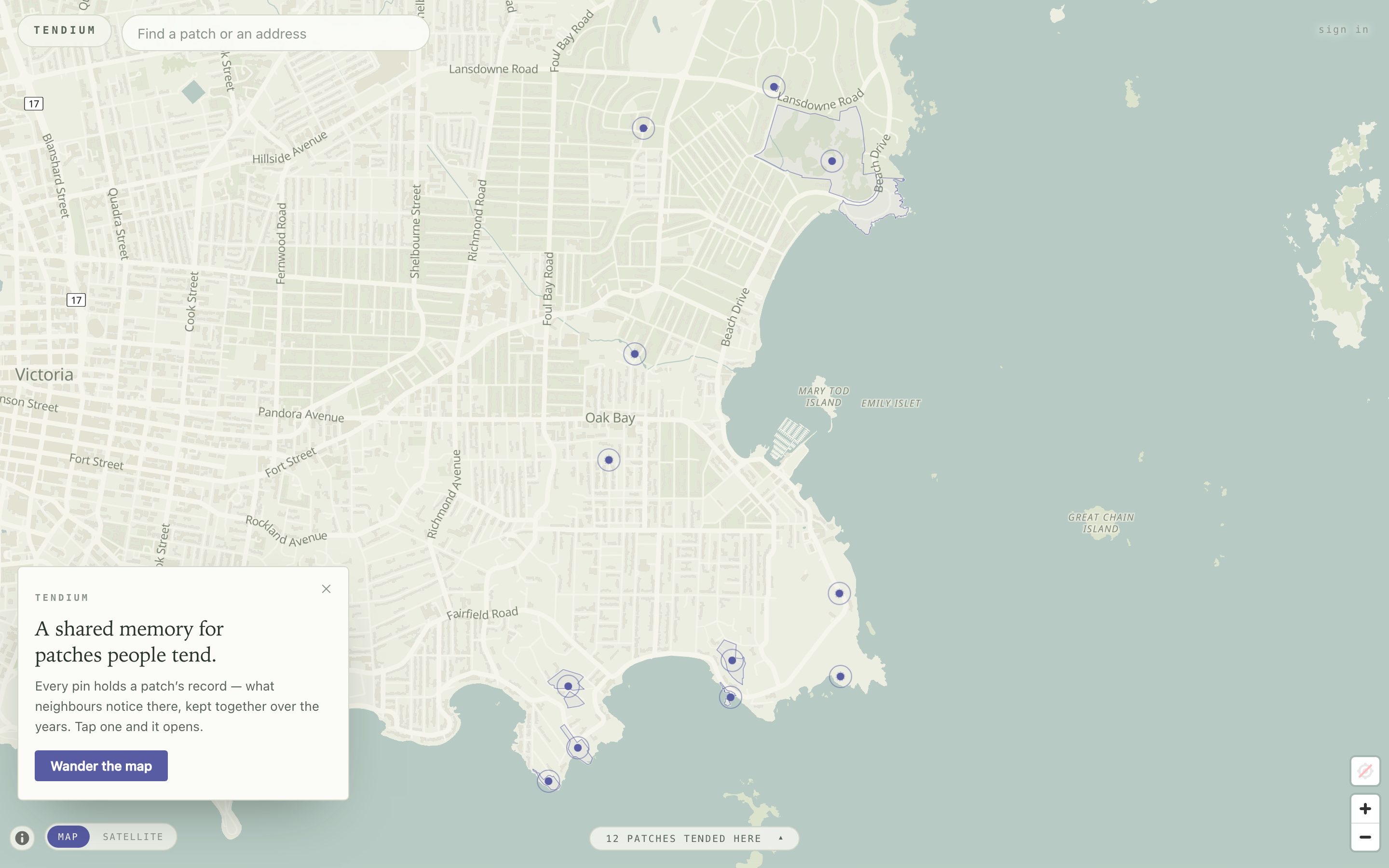
A patch is a piece of ground somebody tends — a pocket forest, a boulevard strip, a creek bank, a cemetery meadow. It has no members and it is not a project.
Patches are private until you publish them. Publishing carries the whole history with it.
The record#
A patch collects one thing: observations people submit, and the answer each one got, kept together.
Anyone can add to it. No account, no form — a photograph, a typed line, or a spoken note. The record identifies what it can and replies to the person who asked, in seconds. Both halves stay on the record permanently.
Your side of it#
| You want to | Go to |
|---|---|
| See what needs you | Overview |
| Read the record, or fix an identification | Ground |
| Write down work | Tasks |
| Hold names and addresses | People |
| Send a letter, or hand work out | Write to people |
| Ask the record something | The study |
| Change what a stranger sees | The public page, The sign |
The desk#
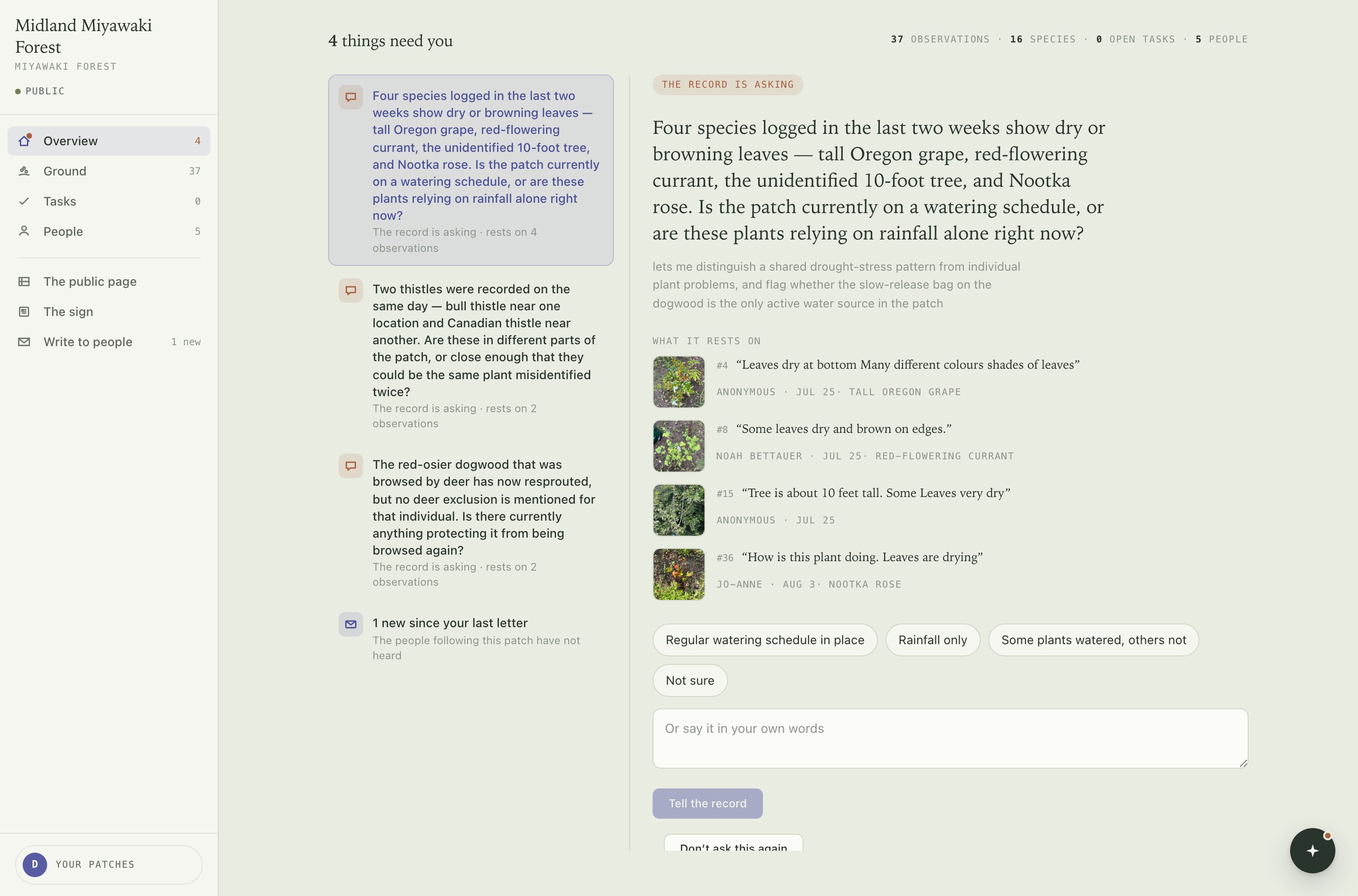
One patch, one desk, at /desk/<patch>. A rail on the left, one working
pane, and no top bar.
The rail#
- Overview
- Everything waiting on you. Carries a dot when it is not empty.
- Ground
- The record, and the things it keeps returning to.
- Tasks
- Work you have written down.
- People
- Names and addresses. No accounts.
- The public page
- What a stranger opens from the map.
- The sign
- What a code in the ground opens, and the placard that carries it.
- Write to people
- Letters, and handing work out.
The round button at the bottom-right corner opens the study. It docks beside the pane instead of covering it. The disc at the foot of the rail takes you back to all your patches.
The tour#
The first time you open a desk on a device, a nine-step tour offers itself. It points at the real controls and changes nothing. Esc leaves it anywhere; Skip, and don't offer this again silences it. The setting is per-device and lives on your account page, where you can replay it.
Overview#
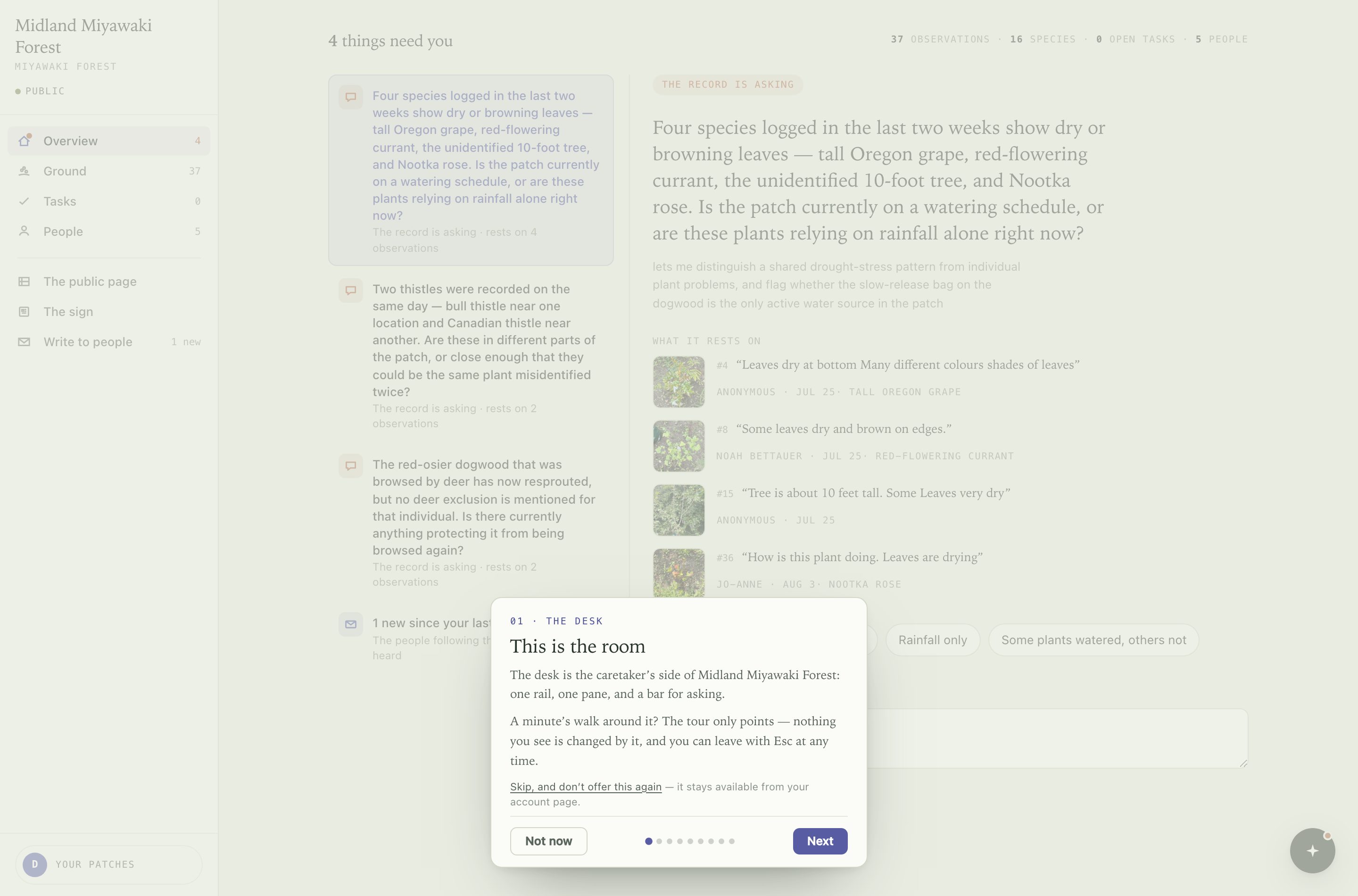
Overview is a queue, not a summary. It holds only what is waiting on you, ordered by who is waiting. Empty means nothing needs doing.
Questions from the record#
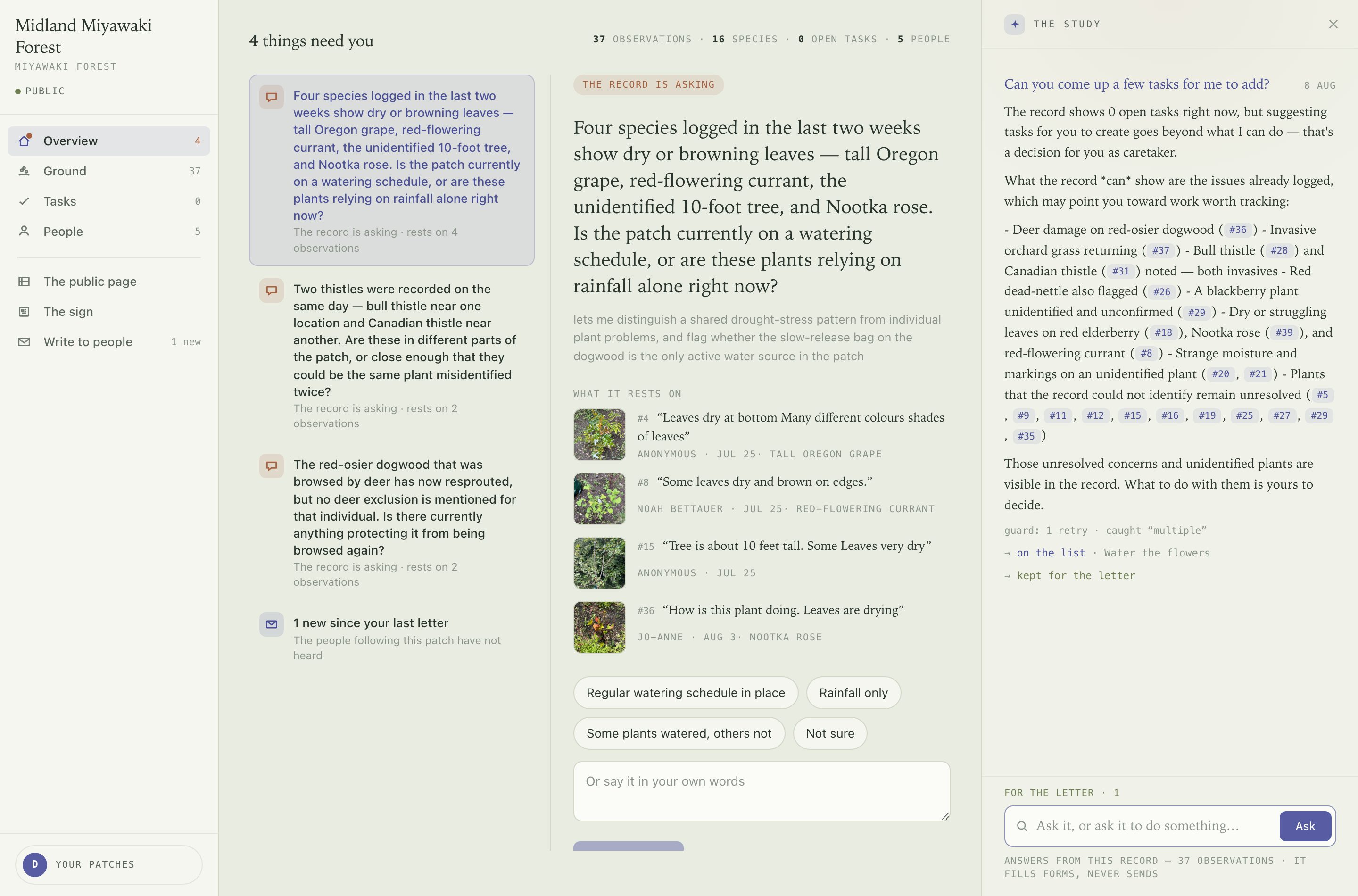
The record reads across the whole corpus and asks what it cannot settle on its own — four species logged in the last two weeks show dry leaves; is the patch on a watering schedule? Each question shows the observations it rests on.
Answer by picking one of the offered answers or writing your own. Four is the most it will ever have open.
Your answer is stored in your words and filed as fact against the things it names. It outranks the model's version permanently.
Don't ask this again dismisses a question without answering it.
Overdue work, letters owed#
Two other rows appear here: a task whose date or season has passed, and a count of what has happened since your last letter went out.
Ground#
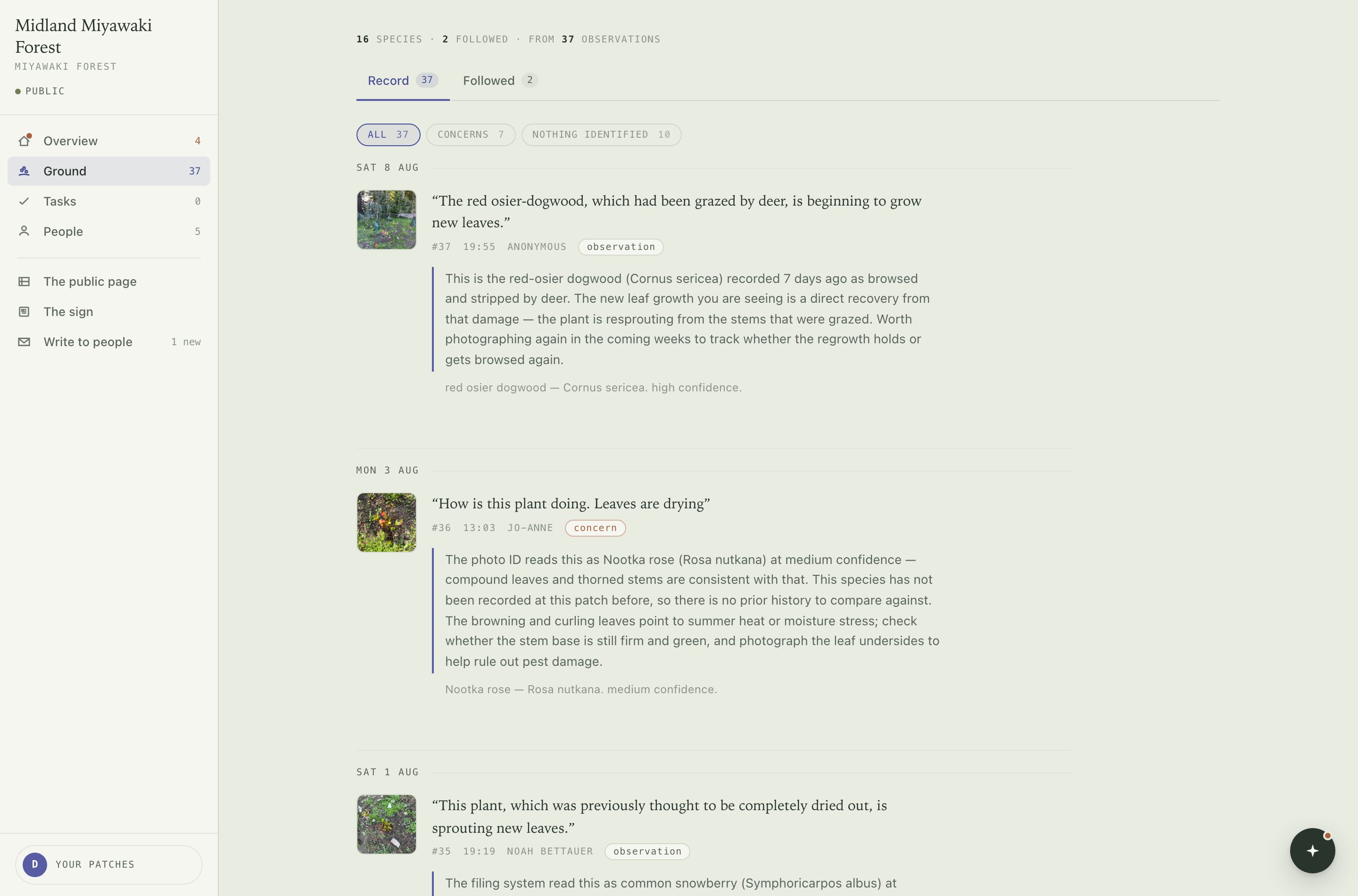
Ground holds the corpus two ways.
Record#
What happened, newest first: the observation in the contributor's words, the photograph, who filed it, and the record's answer underneath. The line below the answer is the identification and its confidence.
Filters narrow it to concerns — entries somebody flagged as a worry — or to entries nothing could be identified from. Click a photograph to open the whole entry.
Followed#
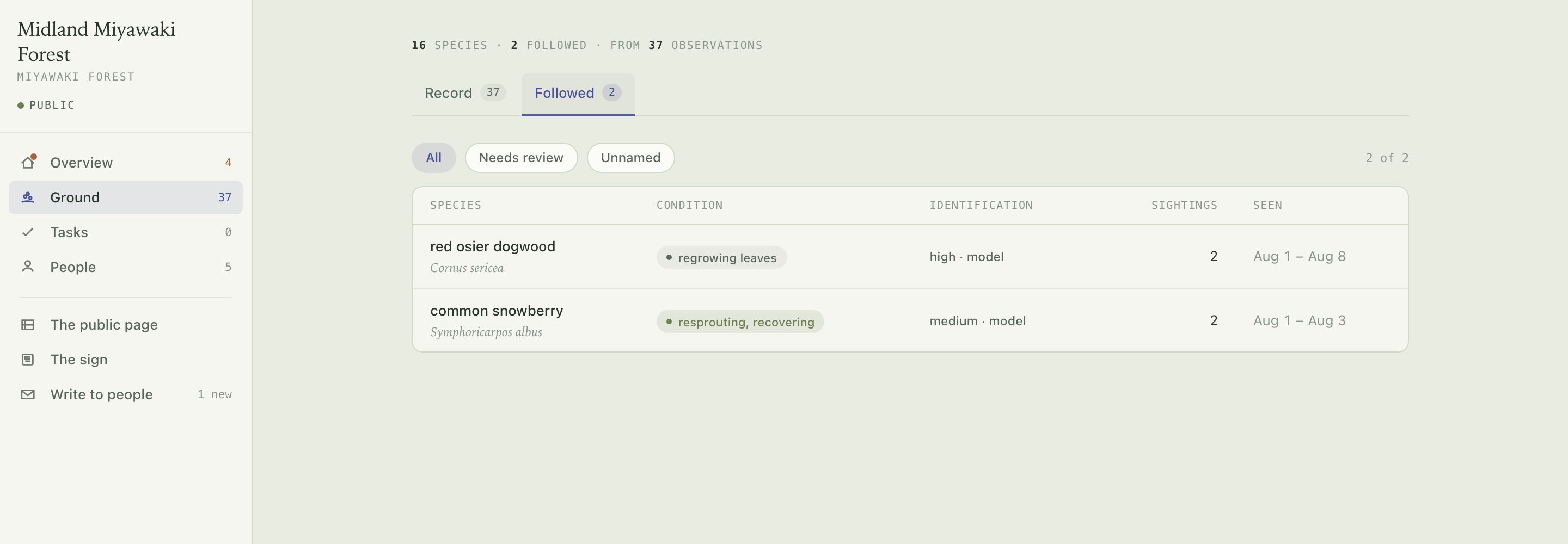
Not events but things: one row per plant the record keeps coming back to, with its condition, how the identification was settled, and how many sightings over what span.
A followed thing is created only when an entry's own words say it is returning to something earlier — the red-osier dogwood, which had been grazed. Two photographs that look alike, or that were taken near each other, are not enough: appearance changes, which is usually why the entry exists, and GPS at a patch thirty metres across proves nothing.
Species at this patch is the wider count above the tabs — everything the record has ever identified, folded up.
Tasks#
Adding one#
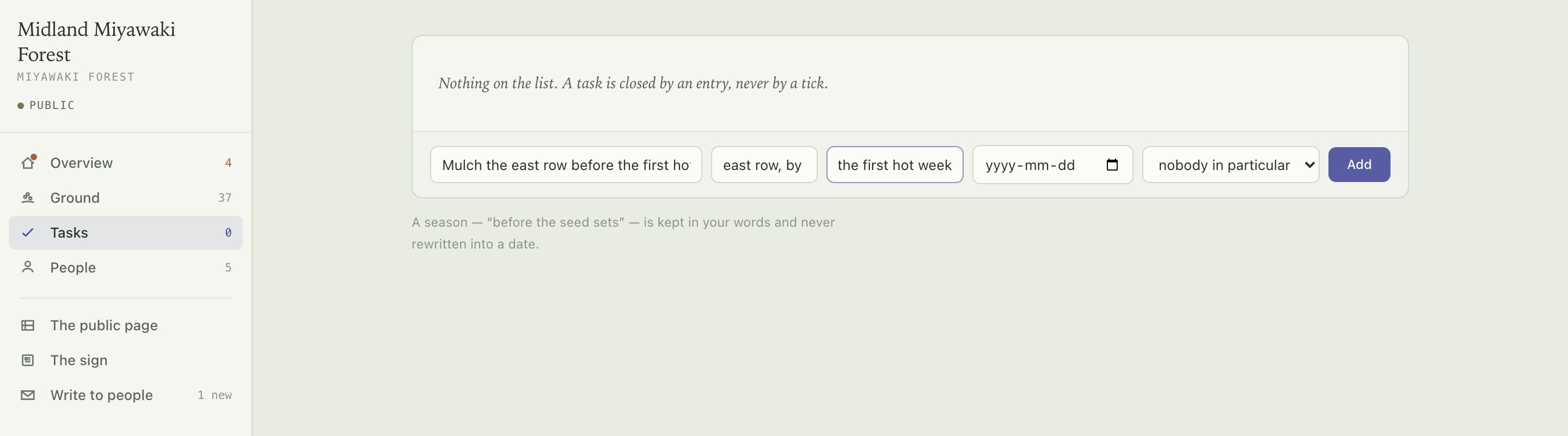
Four fields, and only the first is required.
- What needs doing
- Required.
- Where
- Anywhere in the patch, in your words.
- When
- A date, or a season — before the seed sets, after the first hot week. A season is kept as you typed it and never converted into a date.
- Who
- A person on your list, or nobody in particular — the default, and a real value rather than a blank.
Closing one#
A task is closed by an entry, never by a tick. There is no button that marks work done.
Two things close a task:
- Somebody standing at the patch taps Care for this patch on the sign's page, is handed one open task, and files a photograph.
- You hand it to a named person from Write to people. Their link opens a camera, and their photograph closes it.
Either way the record ends up holding evidence rather than a claim.
People#
A person is a name and an email address. They never get an account — most people who could help at a patch will not sign in to anything, so everything reaches them by mail and works from a link.
Adding someone#
The list fills two ways: somebody follows the patch from its public page and confirms by email, or you add them here. A name with no email is allowed and simply cannot be written to.
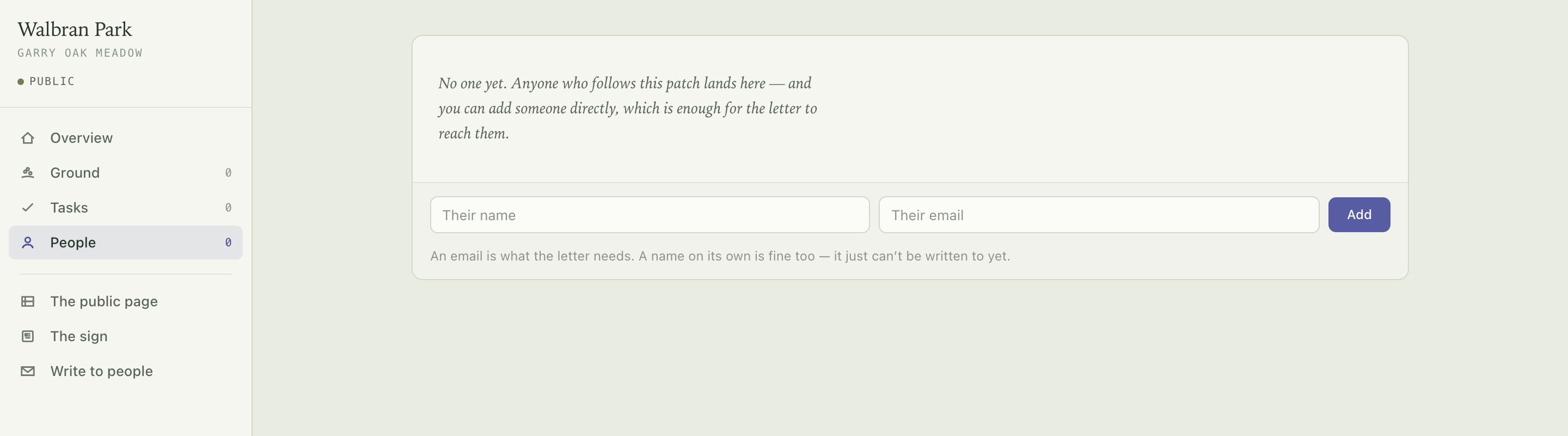
Consent lives on their side. If somebody unsubscribes, adding them again does not put them back — only they can, by following again.
Writing to people#
Two kinds#
- Write to people
- The letter. Everyone following the patch.
- Ask someone
- Hands a task to people you pick. The link in it opens their camera.
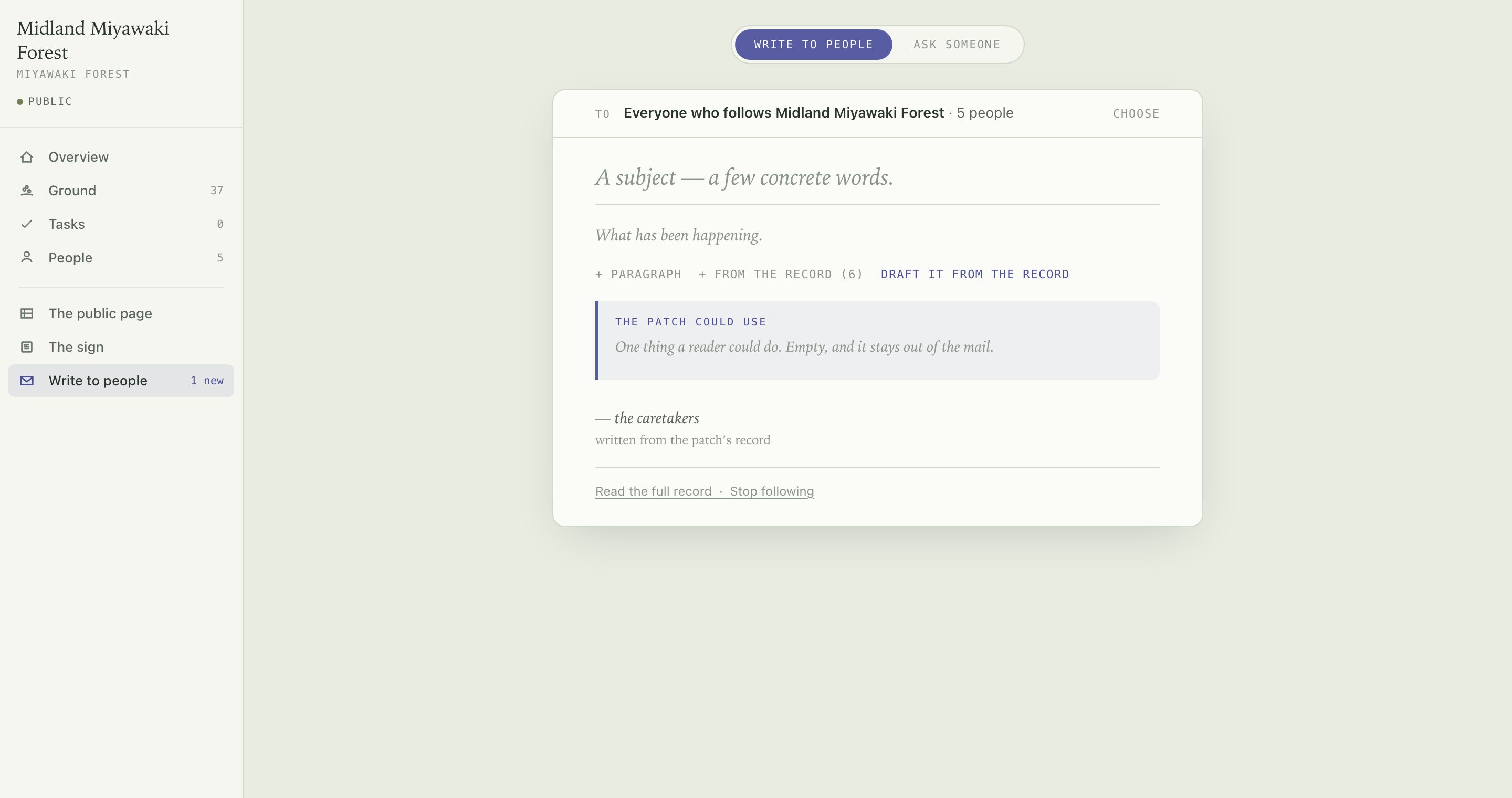
What you type into is the email itself — from-line, signature, and the footer carrying read the full record and stop following. There is no preview.
Getting words on the page#
- Type
- Paragraphs are blocks. The gutter beside one moves it, deletes it, or asks for it shorter.
- From the record
- Pulls a real entry in, attributed. No model involved.
- Draft it from the record
- Asks for a subject and paragraphs covering what has happened since your last letter.
Drafted text arrives as a proposal, visibly not part of the letter. Keep it or discard it — the letter that gets assembled never sees an unkept proposal.
Sending#
The patch could use is one thing a reader could do. Left empty, it stays out of the mail.
The recipient row at the top says who gets it and expands if you want to choose. The button at the foot names how many people it is about to reach.
The study#
Asking#
Open it with the corner button, / or ⌘K. Ask questions of your own record — what was never answered, show me the deer damage. It answers from that record and from what this kind of patch watches for, one exchange at a time.
Answers cite the entries they rest on; pressing a citation takes you to that entry. Exchanges are kept in the panel, and an answer can be held for the next letter.
What it will not do#
- It fills forms; it never sends. Ask it to put something on the list and the task form is filled in, waiting for you to press the button. No mail leaves and nothing is published by asking.
- It does not reach. Asked about something the record does not contain, it says so instead of guessing.
- It does not count. Every figure it uses is one a query supplied. An answer containing an unsourced quantity is caught and rewritten before you see it.
The public page#
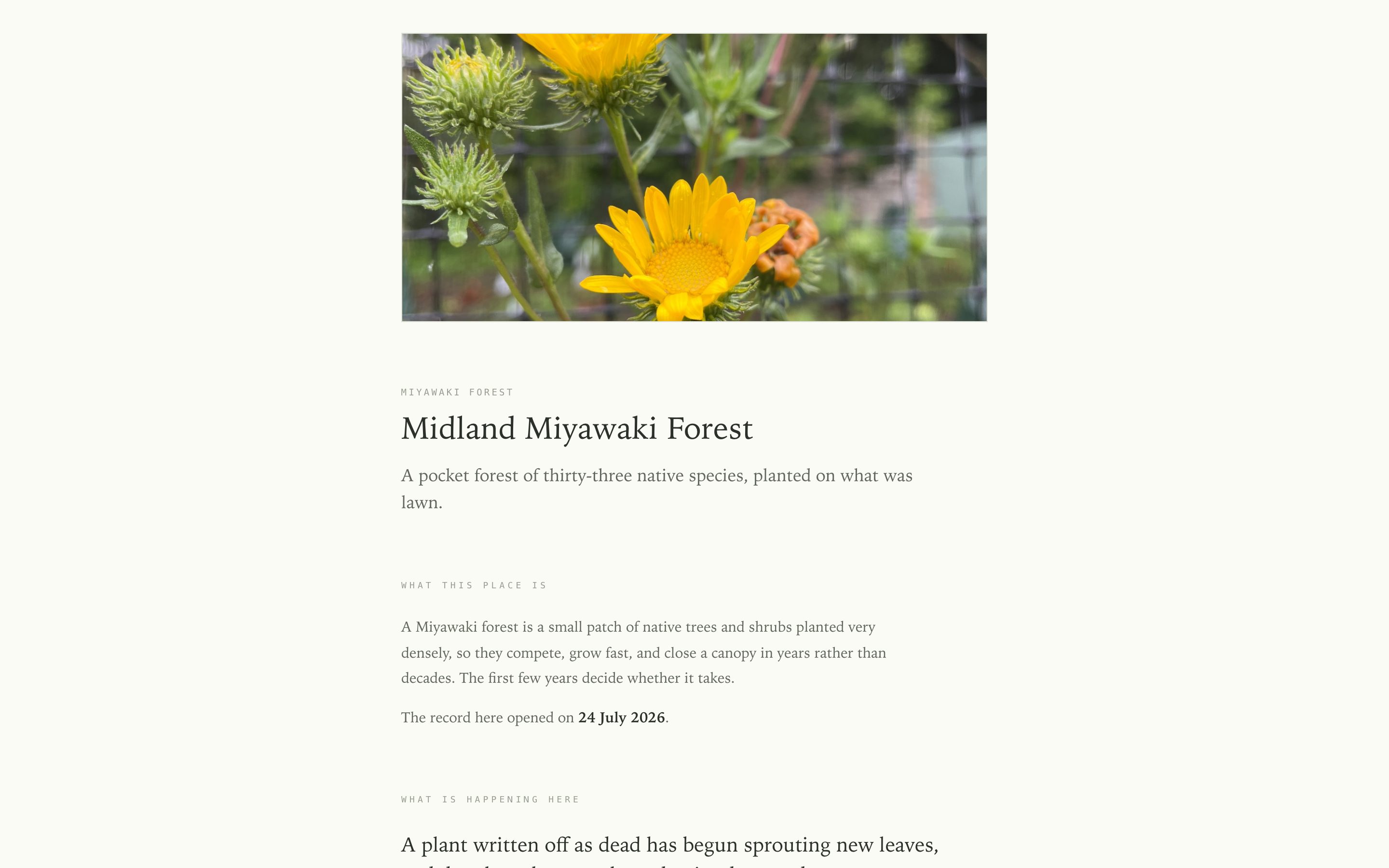
What a stranger opens after tapping your pin on the map — somebody at home, not somebody standing in the patch. The record's account of itself, in chapters, with nothing to capture on it.
Arranging it#
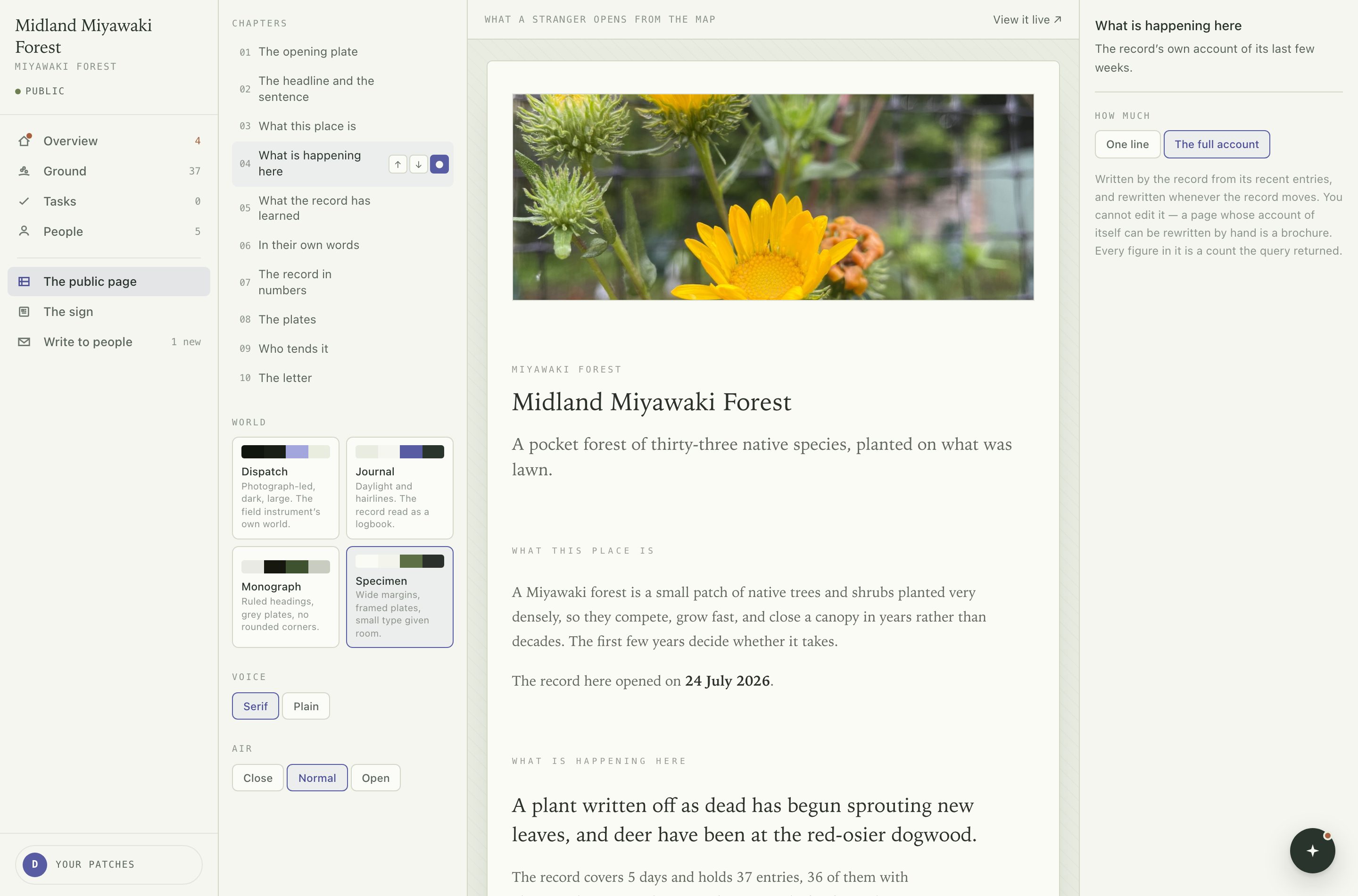
Reorder or switch off chapters in the spine on the left. A world changes the page's structure and colour together; voice and air adjust type and spacing. The page in the middle is the live page, not a preview of it. Every change saves as you make it.
What you cannot edit#
What is happening here, the record in numbers and in their own words are written from the record and rewritten whenever it moves. You can move them or hide them; you cannot rewrite them. Every figure in them is a count a query returned.
Your own words go in the headline, the sentence under it, the letter's offer and the ask, and are shown exactly as typed.
The sign#
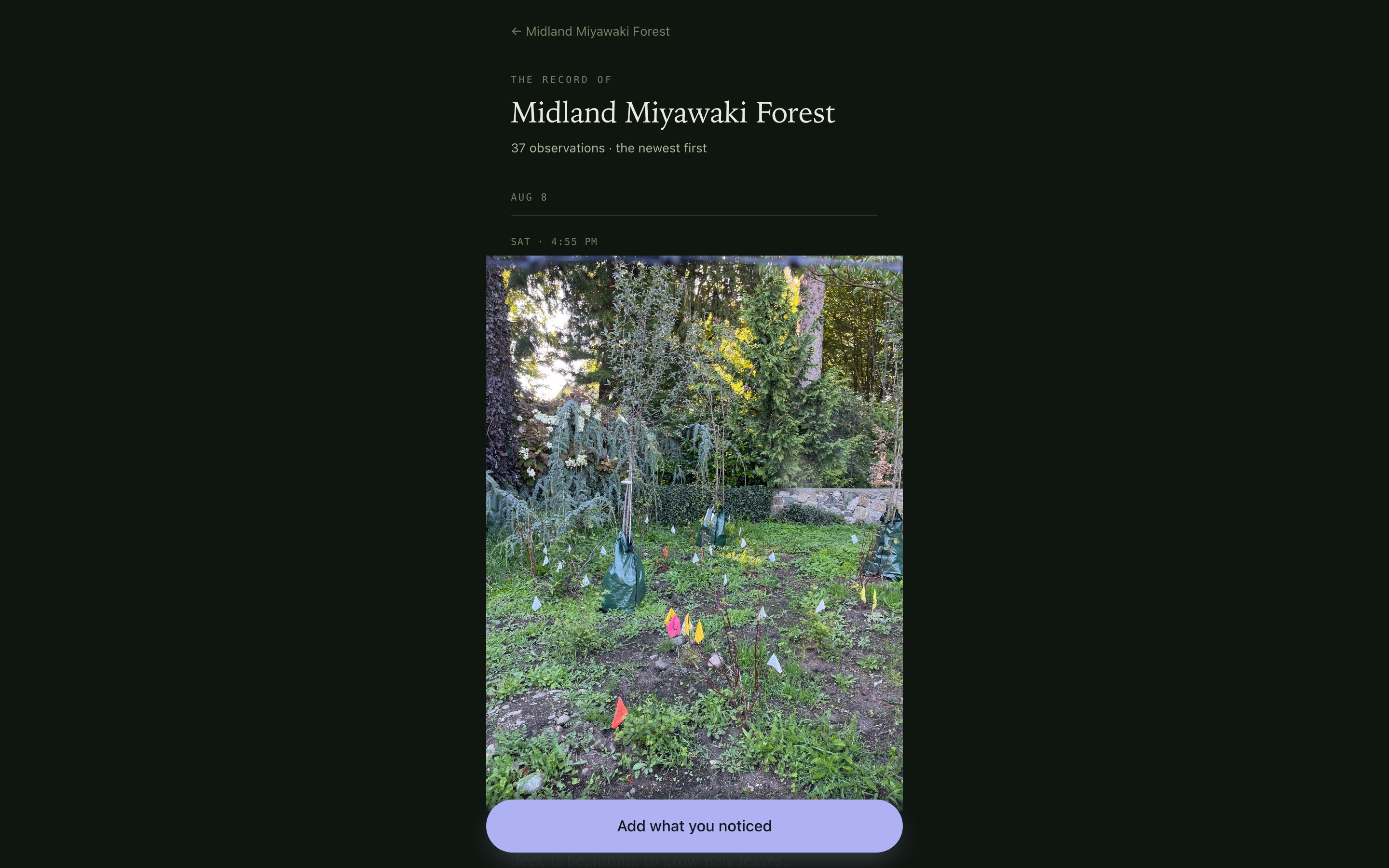
The other page: the one a code in the ground opens, for somebody standing there. It leads with two doors and can take a capture, which the page from the map cannot.
Take a quiet minute is sixty seconds of noticing with nothing to do at the end. Care for this patch hands over one open task, or the record's own commission to look at something. Work is pulled here, never pushed — the page never opens with a job on it.
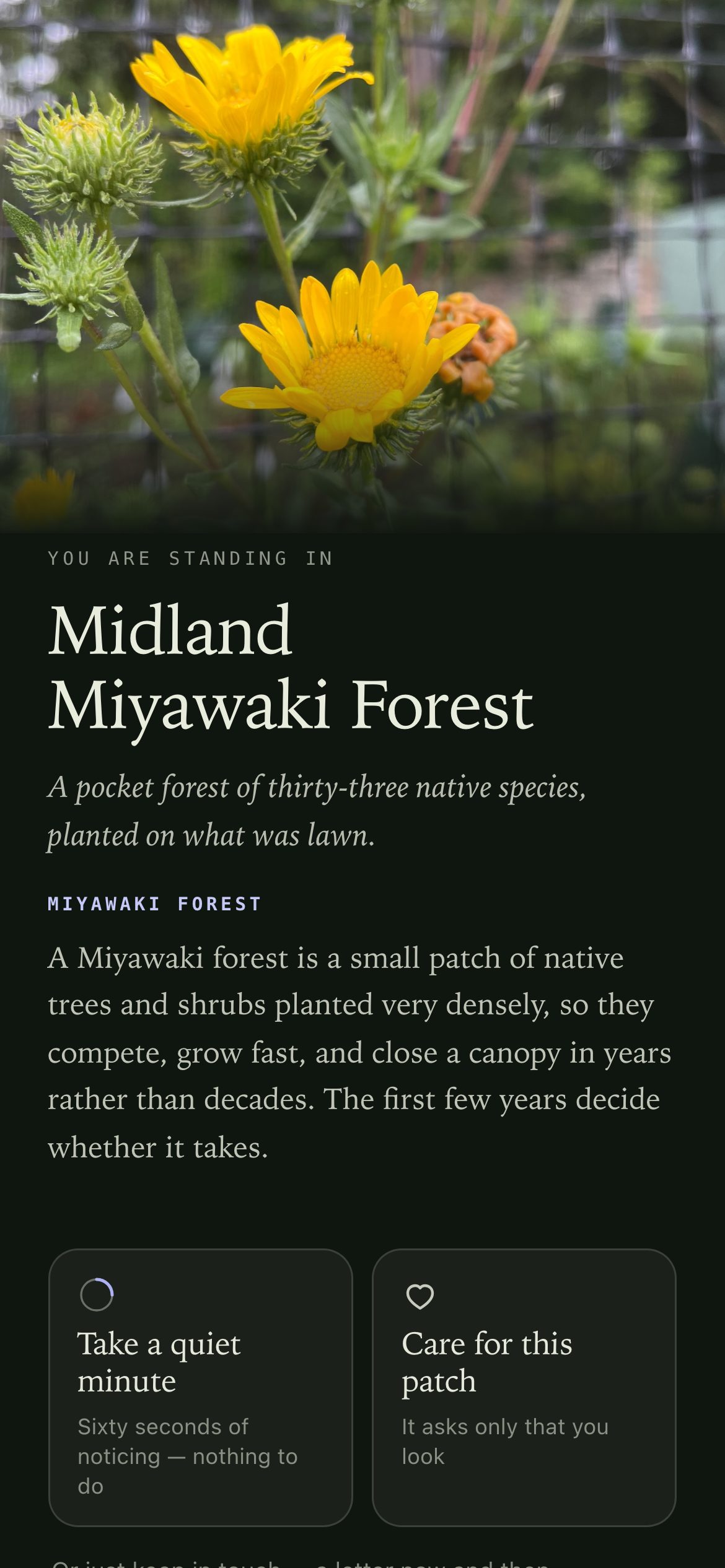
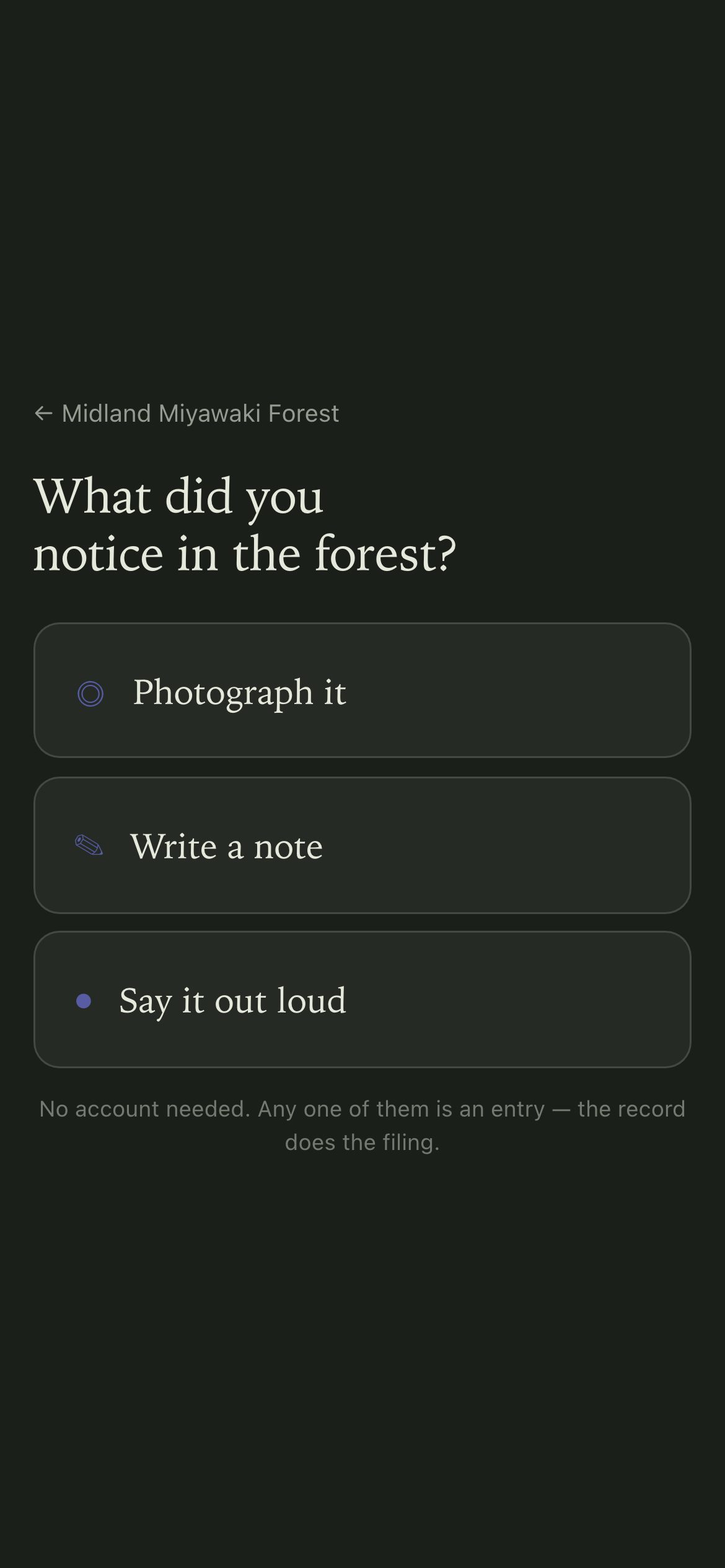
Either door can end in an entry. The composer is three doors — photograph it, write a note, say it out loud — and asks for nothing else until something has been given. A name is optional.
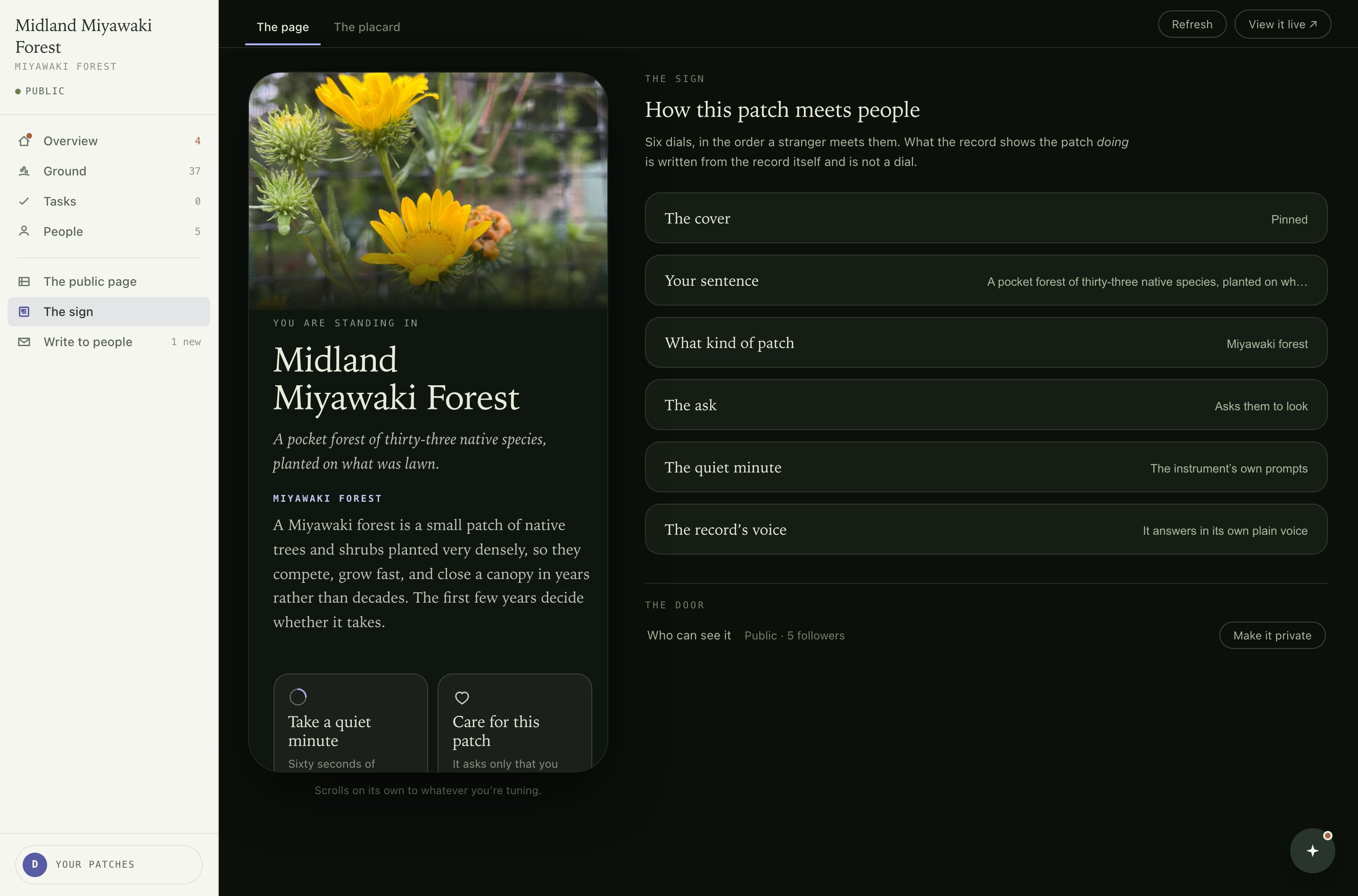
The six dials#
- The cover
- A photograph pinned from the record, or painted light.
- Your sentence
- One line about this patch, in your words.
- What kind of patch
- Picks the paragraph explaining the kind, and steers what the record watches for. You can write your own kind.
- The ask
- Whether the patch asks a visitor to look, or only shows itself.
- The quiet minute
- The prompts behind the sixty-second door.
- The record's voice
- How plainly it answers.
Who can see it, at the foot of the same tab, is where a patch is published or made private again.
The placard#
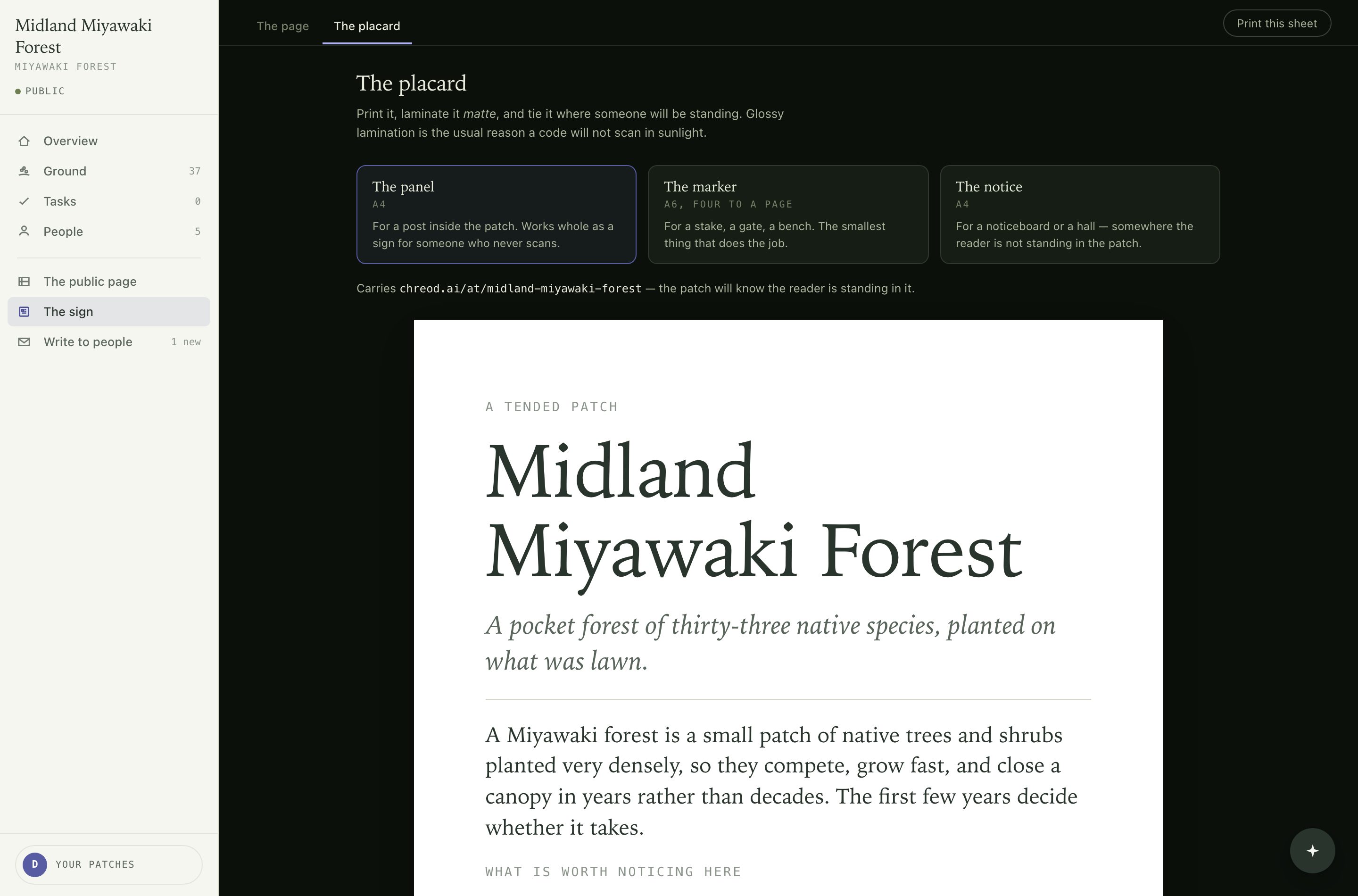
The second tab of the sign: the printable thing carrying the code. Three cuts from one generator.
- The panel · A4
- For a post inside the patch. Works whole as a sign for somebody who never scans.
- The marker · A6, four to a page
- A stake, a gate, a bench. The smallest thing that does the job.
- The notice · A4
- For a noticeboard or a hall. Its code opens the public page, because the reader is not standing in the patch.
Laminate matte. Glossy lamination is the usual reason a code will not scan in sunlight.
What runs on its own#
- Filing. Species, kind and tags come off the photograph and the sentence, steered by what this kind of patch watches. The identification always carries its confidence.
- Answering. The person who filed gets a reply in seconds, grounded in this patch's record — including what the same plant was doing last time somebody looked. This is the only thing that reaches the public without you approving it first: a stranger's question should not wait for somebody to sign in.
- Asking you. What cannot be settled from the record becomes a question on Overview.
It does not propose work. Correcting an identification makes your version what the record says; the original stays underneath as history.
Hard limits#
The record never states a number a query did not supply, and it never closes a task. Only evidence closes a task.
Who sees what#
| They are | They get | They never get |
|---|---|---|
| A strangera code, or a pin on the map | What the patch is, its record, and the ability to add to it | Your desk, people or queue. A job, unless they ask for one |
| Someone followingan address, no account | The letter, and a link back to the record | Anything they did not consent to. Their address is never shown to other readers |
| A caretakeryou | All of it | — |
A private patch is invisible rather than locked: a visitor gets a not-found page. Keys are handed over, not requested — an invited caretaker gets the same desk you have, and a patch nobody keeps says so on its own page and can be asked for.
Glossary#
- Patch
- A piece of ground somebody tends. Not a project; no members.
- Record
- Entries and their answers, together. Not a feed.
- Entry
- One observation — a photograph, a note, or a spoken sentence. Not a form, and not a post.
- Answer
- What the record said back, kept beside the entry. Not a comment thread.
- Task
- Work you wrote down, timed by a date or a season. Not a checkbox.
- Person
- A name and an address on your list. Never an account.
- Send
- Mail carrying links that act without a sign-in. Not a notification.
- Letter
- The send that goes to everyone following. Not a newsletter you have to fill.
- Followed thing
- Something the record returns to, joined by an entry's own words. Not every plant ever photographed.
- Caretaker
- Somebody holding the keys to a patch. Not an admin, not a rank.
- The sign
- The printed code, and the page it opens. Not the page the map opens.
- The study
- Where you question your own record. Not an assistant that acts.
Troubleshooting#
- Something was identified wrongly
- Correct it on the entry, or by answering the question the record asks about it. Your version becomes what the record says.
- An answer says something odd
- A correction supersedes it in the same place. Nothing is rewritten silently, and the original stays as history.
- Work was done but the task is still open
- It closes on an entry. Ask for a photograph, or file one yourself.
- Somebody wants off the list
- Every letter carries stop following and it works without an account. You cannot add them back afterwards.
- The code will not scan
- Usually glossy lamination in sunlight. Reprint matte, and check the sheet printed at true size rather than scaled to fit.
- A caretaker's name is wrong on the public page
- Change it on your account page; it propagates.